Takeoff the remodel in the existing shell.
This page is for remodelers — kitchens, baths, additions, occupied interiors, and light commercial tenant work in an existing shell. You are bidding selective demolition, new partitions, MEP that has to thread through what is there, and finishes the owner will touch every day.
You still mix SELF and SUB, but the mix is remodel-shaped: carpentry, drywall, and finishes in-house, plumbing / electrical / HVAC bought. Plans are often thinner than a ground-up set: existing-conditions sheets, sketches, and a permit set that does not match the wall you opened. You still receive PDFs. You still need a count you can check against a page.
Solo at $200 (five takeoffs) fits a few interiors a month. Crew at $399 (fifteen) is featured — Most Popular: Full Bid Loop — on a steady remodel pipeline. Shop at $699 (forty) is a remodel estimating desk. RFQs are on every plan. GC bid desks, hired estimators, and single-trade shops have sibling pages.
The problem
Remodel bids die in the gaps between existing and new. The set says 3-5/8" studs; the wall is 2x4. The plumber’s quote includes fixtures you already put in your material column. The electrician counted devices off a sheet that does not show the island the owner added in email. You are stitching a PDF, a supplier cart, and three sub threads while the jobsite is still occupied.
Takeoff tools built around new-construction measuring still leave you to price, split SELF from SUB, and stop double-counting. A PM suite wants schedule, payroll, and change orders. Remodel change orders are real life; this product does not manage them.
Many remodel proposals get finished on Sunday night because the days were in someone’s house.
What you get
Drop the remodel set in as PDF. You can leave trades you do not need unchecked — you do not have to run Sitework and Roofing on a kitchen if those scopes are not in the drawings. Add the ZIP. Run takeoff. Processing time varies with plan size and complexity. Close the tab; we email you.
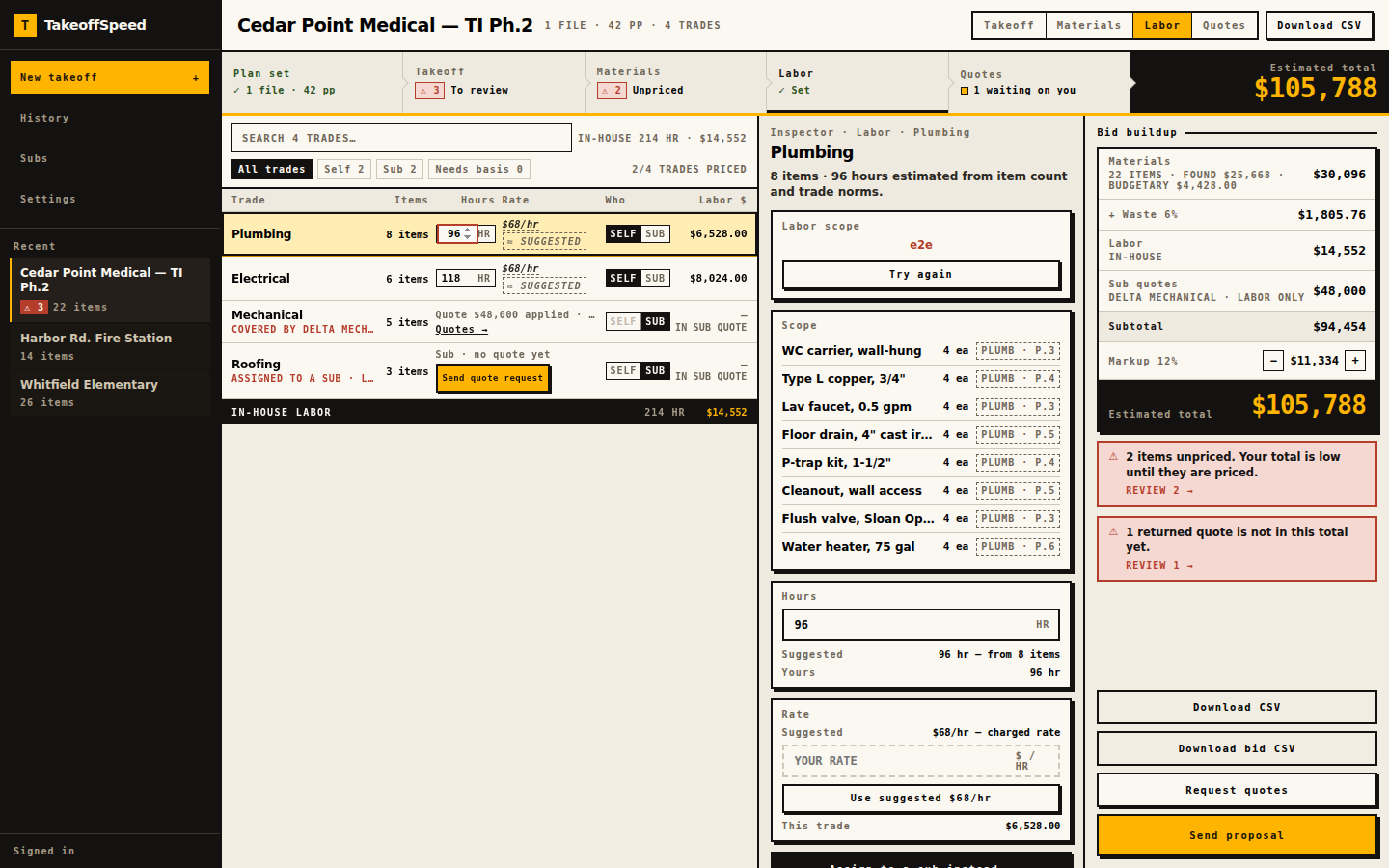
Review the list against the sheet. Citation chips are how you catch the island that is not on the electrical drawing. Mark SELF on carpentry and drywall, SUB on plumbing and electrical, and send guest RFQs that carry quantities only. When the plumber’s quote returns, apply it as replace-covered-items if their number includes the material, or labor-only if you are still buying the fixtures. Both totals show before you commit. Price the SELF material with FOUND and BUDGETARY kept distinct. Build the proposal. Export CSV or Word. Em dash on anything still unpriced.
See how it works for the loop. Run your first bid when you have a real remodel PDF. First-takeoff refund: feedback@takeoffspeed.io. Sunday-Off after 30 days. Cancel anytime. We do not run your company. We help you get the bid out.
- Upload the plans.
- Review the takeoff and supporting evidence.
- Price self-performed materials.
- Send RFQs for subcontracted scope.
- Bring the returned quotes into the bid.
- Check coverage and avoid double-counting.
- Assemble and send the proposal.
In the product
What this supports
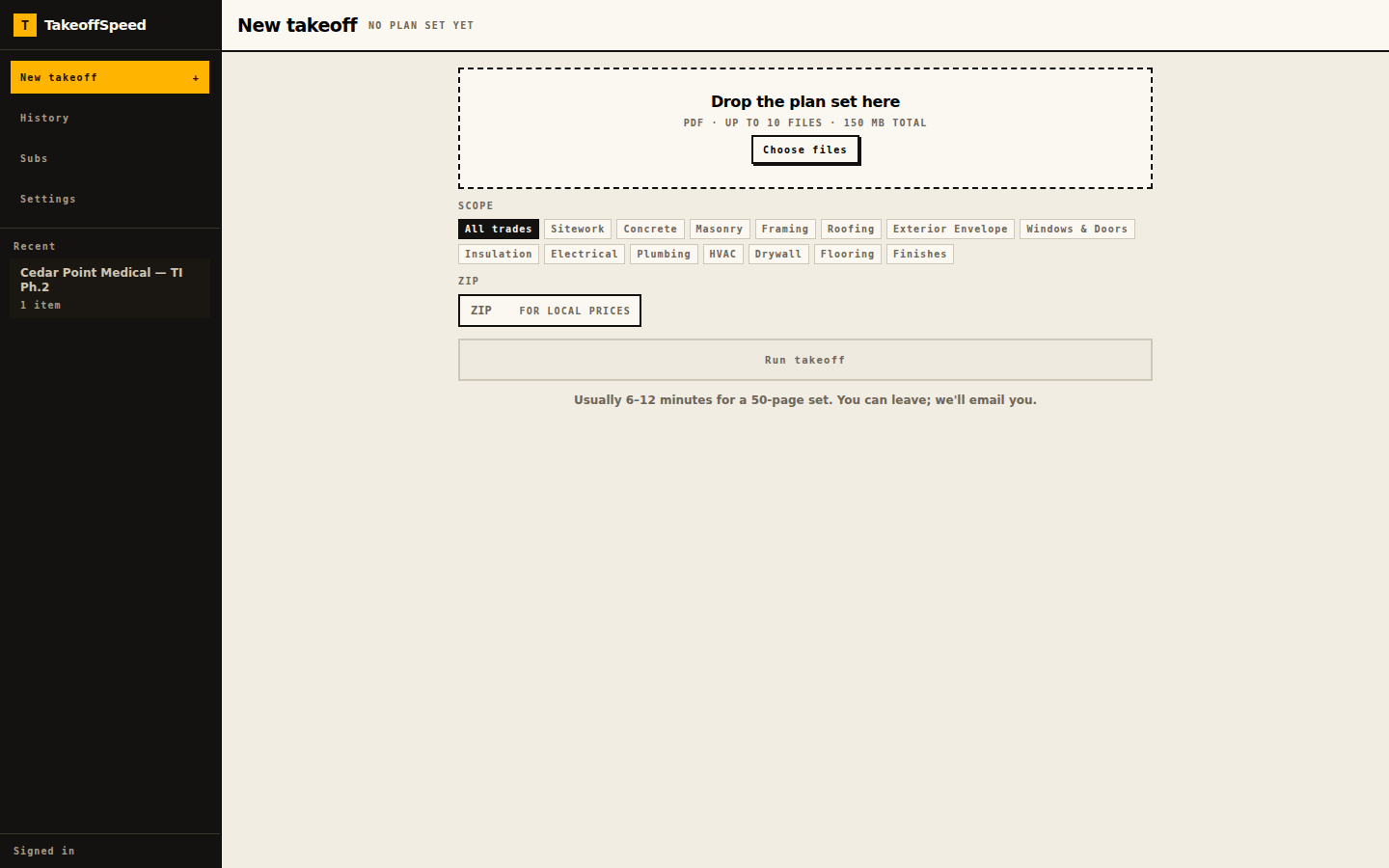
Upload is PDF-only, up to ten files; 150 MB on the drop zone, 200 MB server. The current page allowance is shown before upload; large or dense sets may exceed processing limits. That matters on remodeled spaces because you often have an existing-conditions PDF plus a new interior set — two files, one project. Fourteen trade chips let you count Drywall, Plumbing, Electrical, HVAC, Flooring, and Finishes without pretending you are taking off a new site.
The list is trade-grouped with page-level citations on high-confidence rows and HIGH / MED / LOW evidence labels. Needs your eyes is where a remodel bid should start: no-evidence when a quantity has nothing to open, math-mismatch when the row’s arithmetic fails, unconfirmed-item on other low-confidence lines. You edit the quantity when the field measurement beats the drawing.
Material Source is retail research for selected lines, FOUND versus BUDGETARY, your own number allowed. Labor on SELF trades is suggested hours and rate. SUB trades wait on a quote instead of pretending to be zero labor. Guest RFQs: no login, your letterhead, quantities and units, up to fifteen recipients, due date required, trade package or full set when sheets cannot be sorted. Apply with replace versus labor-only so fixture packages and labor-only plumber quotes cannot silently stack on your millwork total.
Browser-based, no desktop installation. Solo $200 / 5, Crew $399 / 15 (featured), Shop $699 / 40. RFQs on every plan. Failed runs do not count. CSV and Word in-product.
Sample output
The public sample at /sample-bid is already a remodel-shaped job: an anonymised tenant fit-out, not a new house. ZIP 34420. The fixture area is 1,988 SF. Estimated total $196,682.14, pinned by tests through computeBidTotals. Additional contingency 10%, markup 15%.
Trades on that golden takeoff include metal framing, gypsum, ceilings, doors, plumbing, HVAC, electrical, finishes, and millwork — an interior build-out mix. One plumbing quote is applied in replace mode; covered plumbing materials drop out of the self-performed column. Plan-page citations are empty on this fixture; live runs cite the sheet. We do not invent a kitchen package on top of that.
What this does not do
TakeoffSpeed does not schedule crews, run payroll, or log change orders. Remodel work produces change orders; this product will not manage them. It does not run the company. It helps you get the bid out.
It does not know the wall cavity you opened yesterday. If the drawing and the existing condition disagree, you change the line. A human reviews every line. We do not claim complete counts. We do not claim every city has a matched SKU. We do not claim a higher award rate for remodel bids. You remain the estimator for the job. The product is not a substitute for walking the space.
FOUND retail is not the cabinet vendor’s quote. Budgetary is an estimate. Labor is an allowance. Your first subscription: one free takeoff in a 14-day trial. A credit card is required. Cancel before trial end to avoid billing. Guarantees: first takeoff via feedback@takeoffspeed.io, Sunday-Off after 30 days, cancel anytime.