One plan set.
One review trail.
One bid loop.
The takeoff is only step one. TakeoffSpeed is a focused plan-to-bid workflow for small general contractors — not another project-management suite.
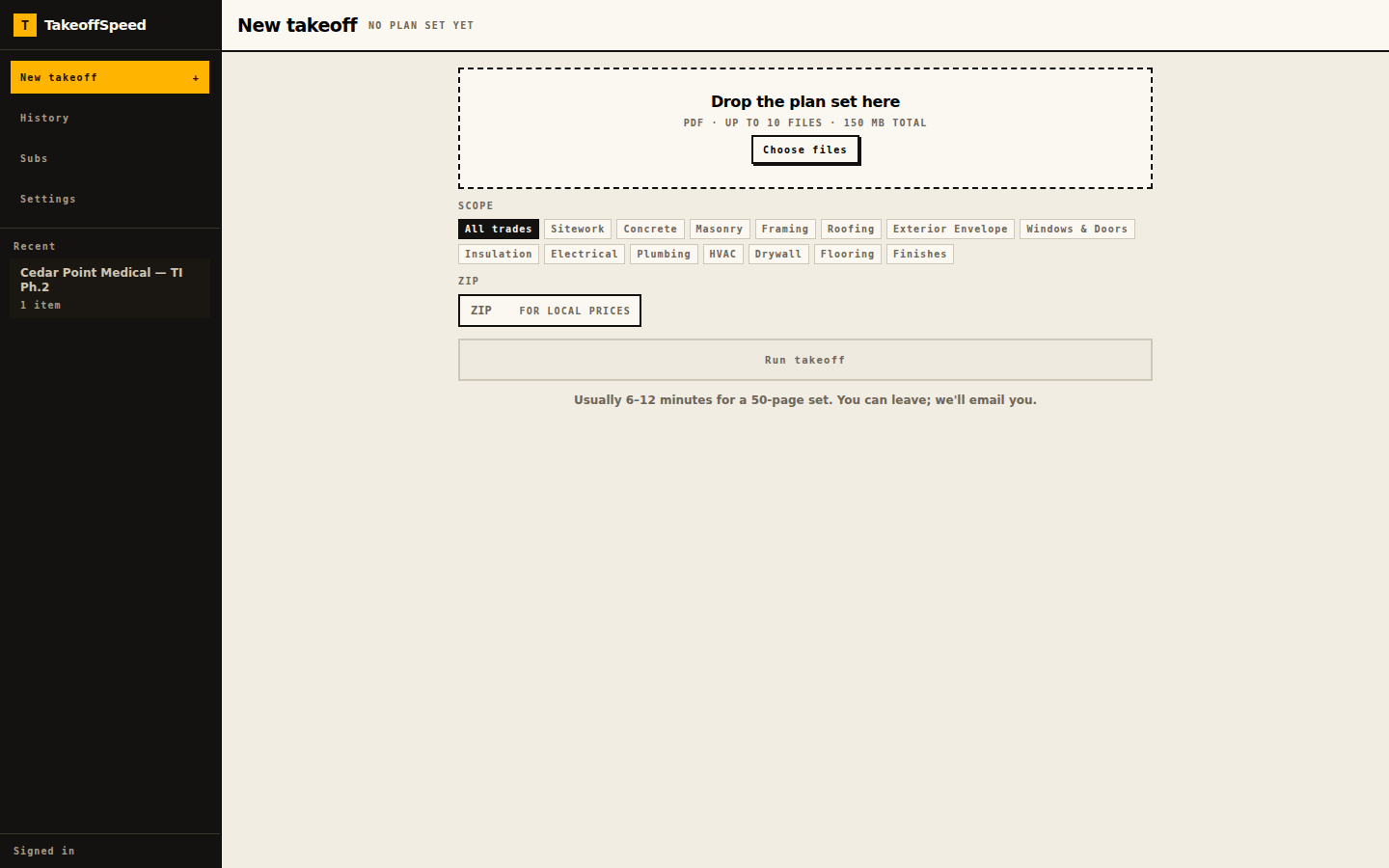
Drop the set in. Pick the trades.
Drop the PDF plan set in — up to 10 files, 150 MB total. Pick the trades you actually want counted from the fourteen scopes, or leave it on all of them, add the job's ZIP so material prices come back local, and walk away. You get an email when it is done.
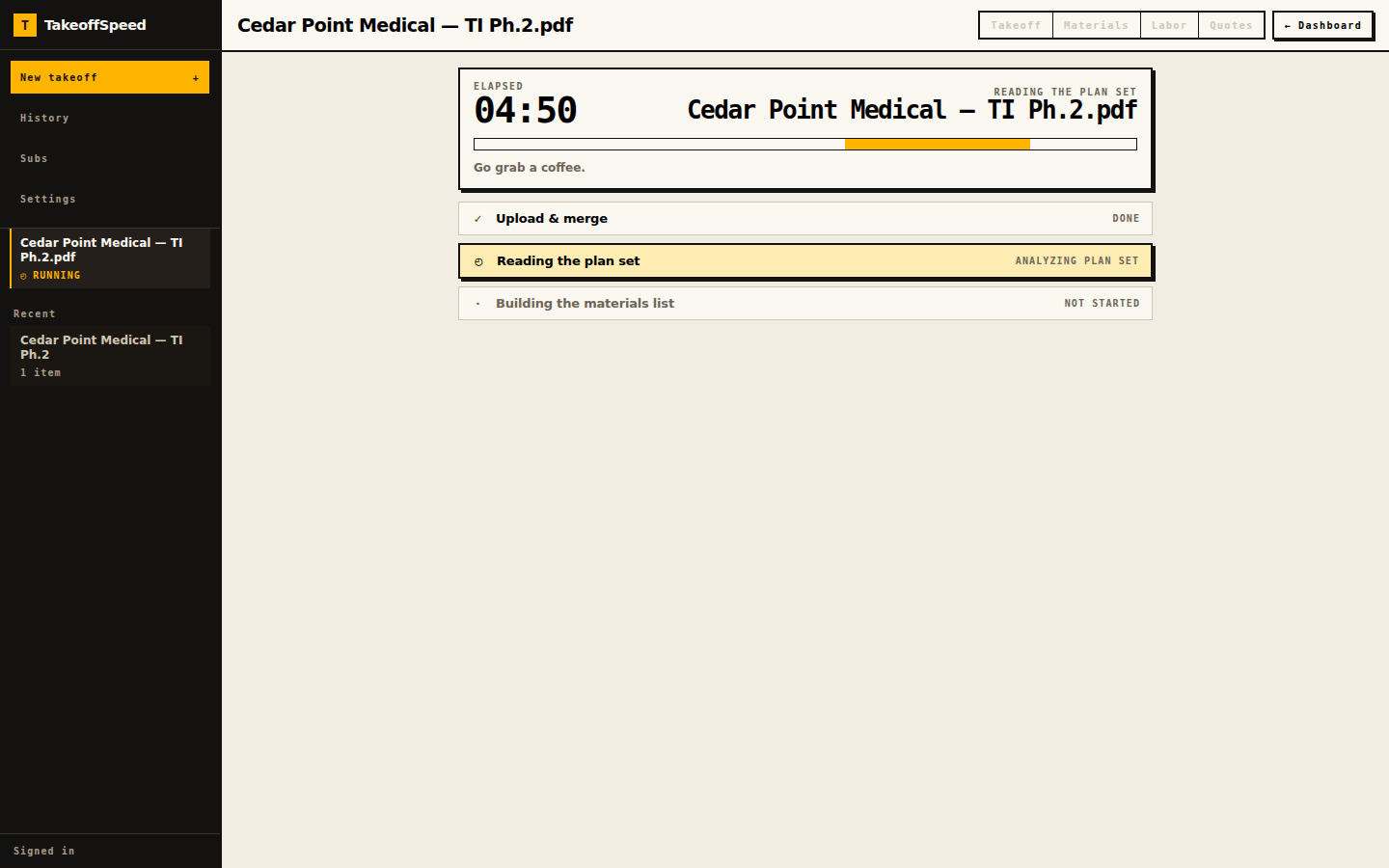
Three stages, with the clock running.
Upload and merge, read the plan set, build the materials list — you can always see where the run is. Processing time varies with plan size and complexity. Close the tab; we email you when it's done.
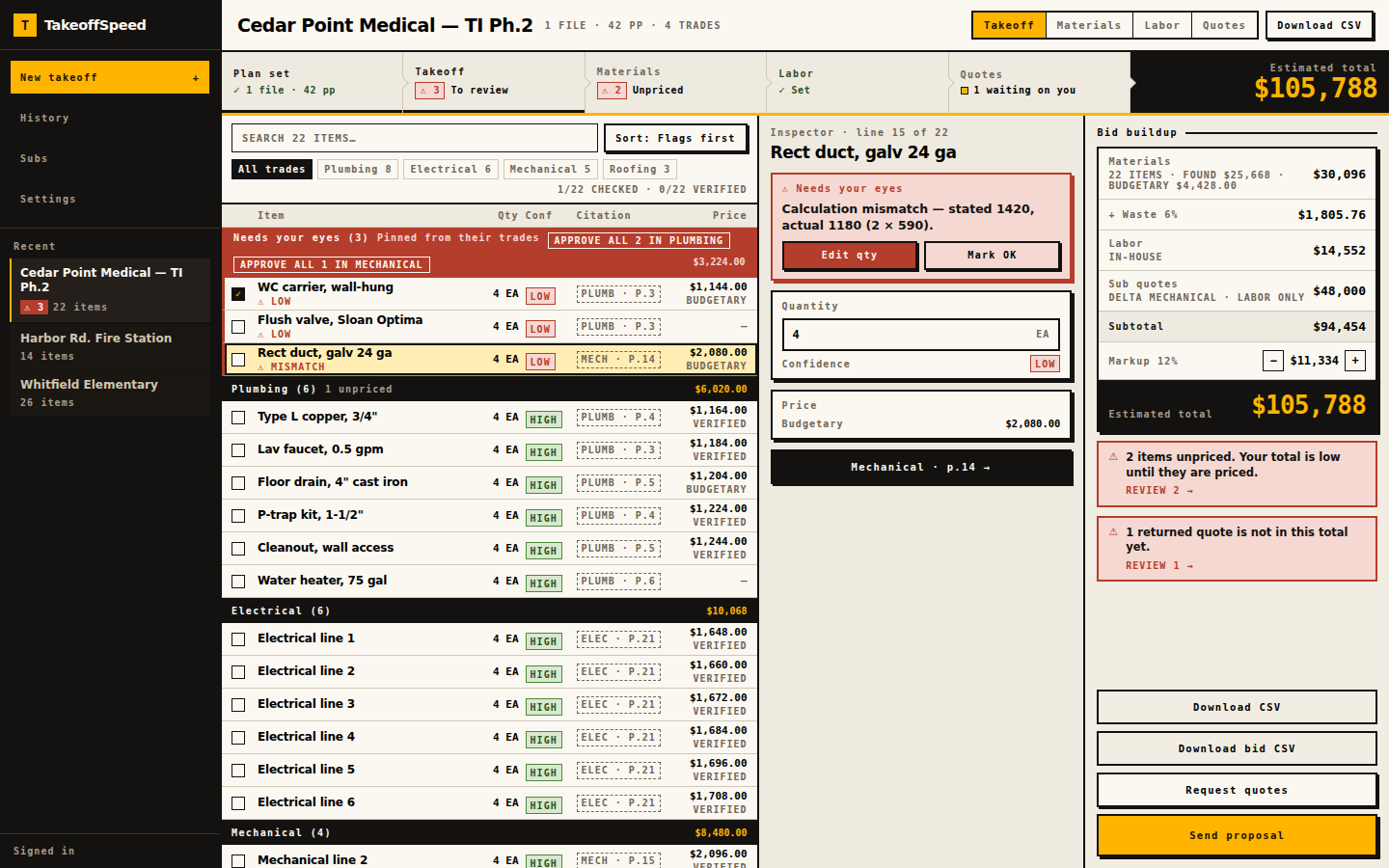
Every line cites its page.
Every line comes back grouped by trade with the plan page it was read from — PLUMB · P.3, MECH · P.14 — and a HIGH / MED / LOW label for the strength of the evidence in the drawings. Lines that need a human are pinned to the top with the reason spelled out, including arithmetic the system checked and could not make work; nothing is approved until you approve it.
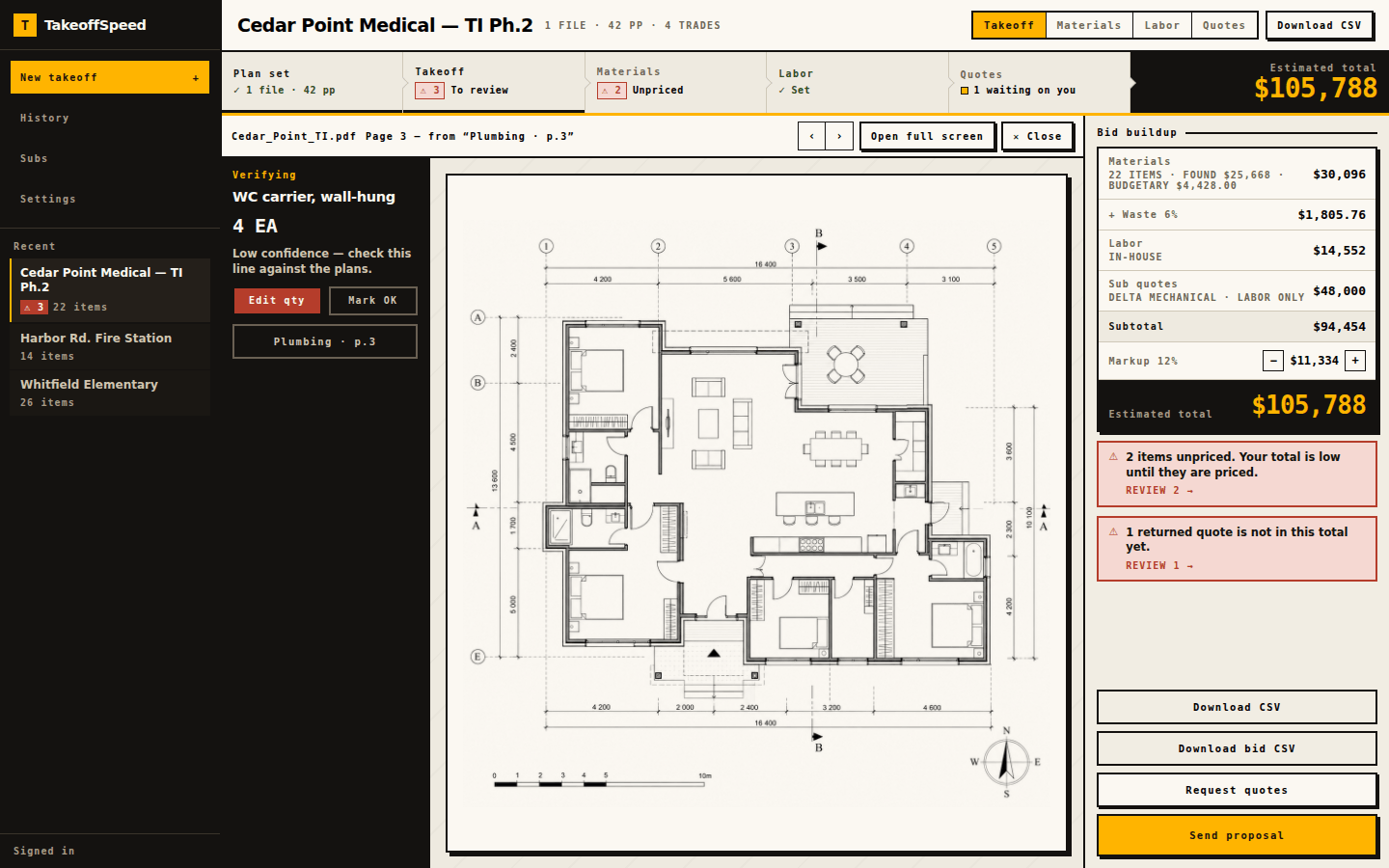
Click the chip. The sheet opens.
Click the page chip on any line and the plan opens to that sheet, with the line you are checking held beside it. Lines the model could not tie to a page are never hidden — they are demoted and appear under Needs your eyes as no-evidence, so you are never asked to trust a number you cannot trace to a drawing.
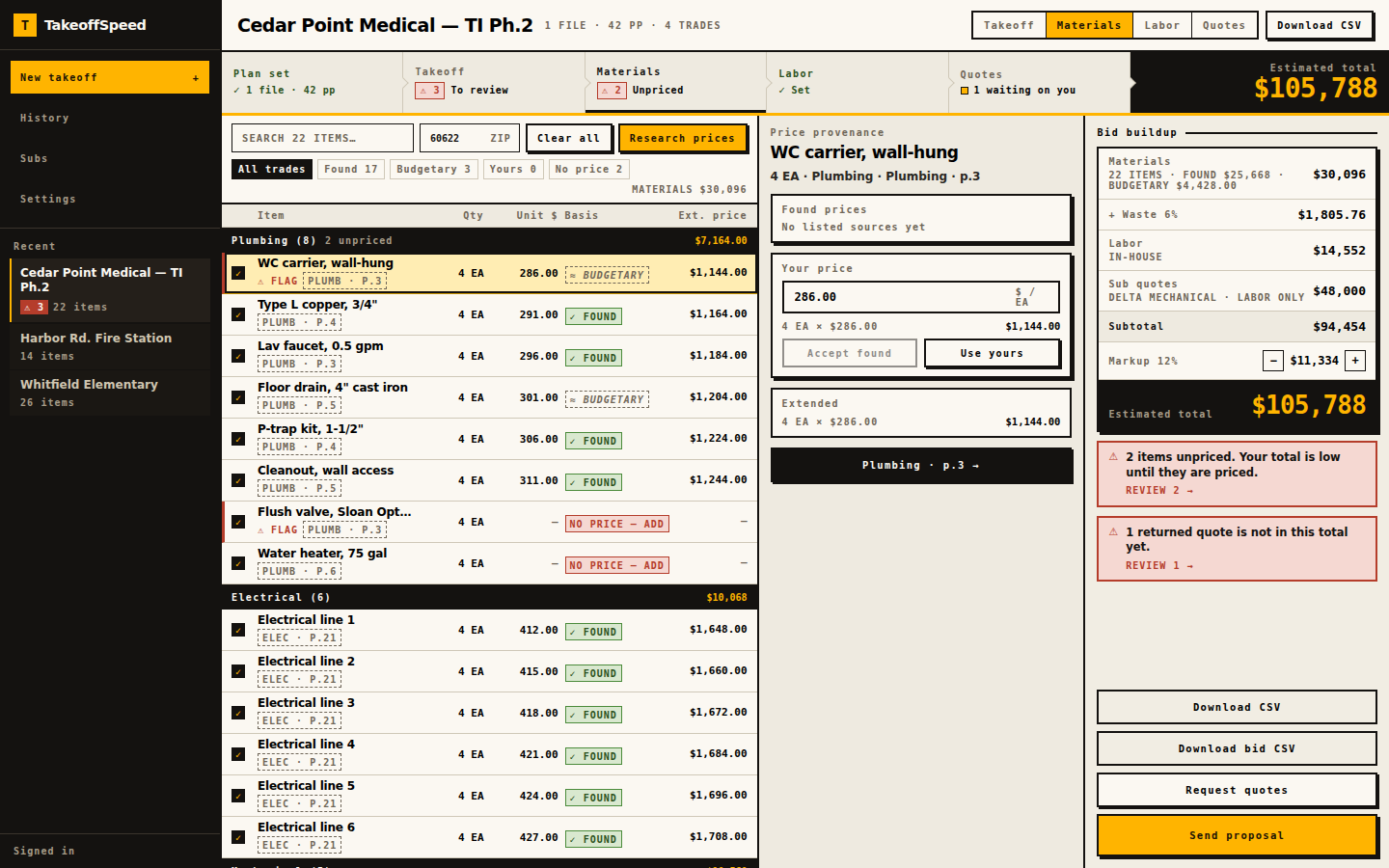
Every price says where it came from.
Prices come back per line with the basis attached: ✓ FOUND is a listed retail price sourced at run time, not a negotiated supplier quote; ≈ BUDGETARY is an estimate and is labelled that way everywhere it appears. Overwrite any of them with your own number, and lines with no price say NO PRICE — ADD instead of quietly counting as zero.
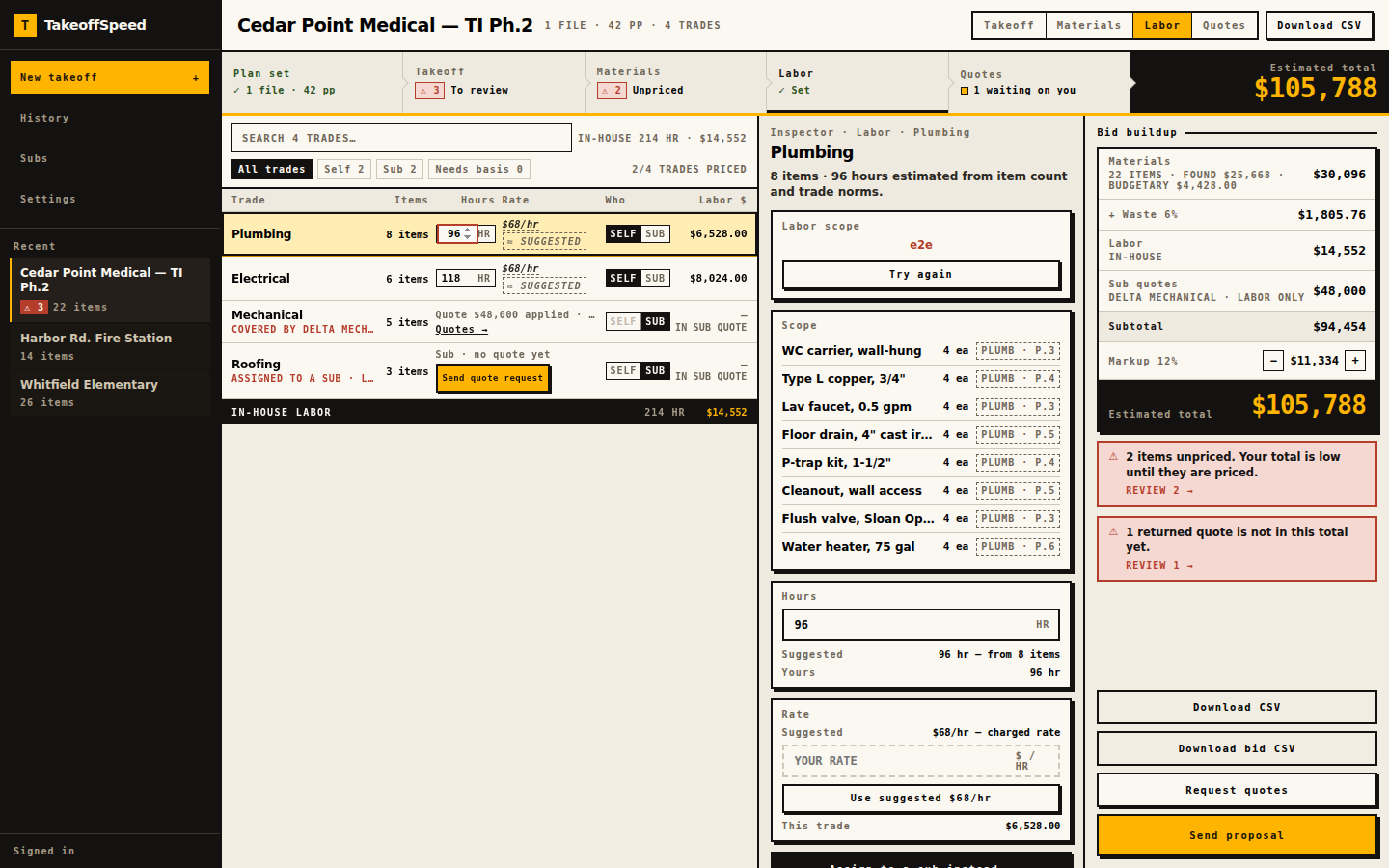
One call per trade: you, or a sub.
Every trade gets one decision. SELF trades take hours and a rate — suggested from the item count and labelled SUGGESTED until you keep or replace them; a trade with no basis reads Needs basis, never $0. SUB trades leave your in-house total and wait for a quote, carrying a short editable scope of work that rides along with every request.
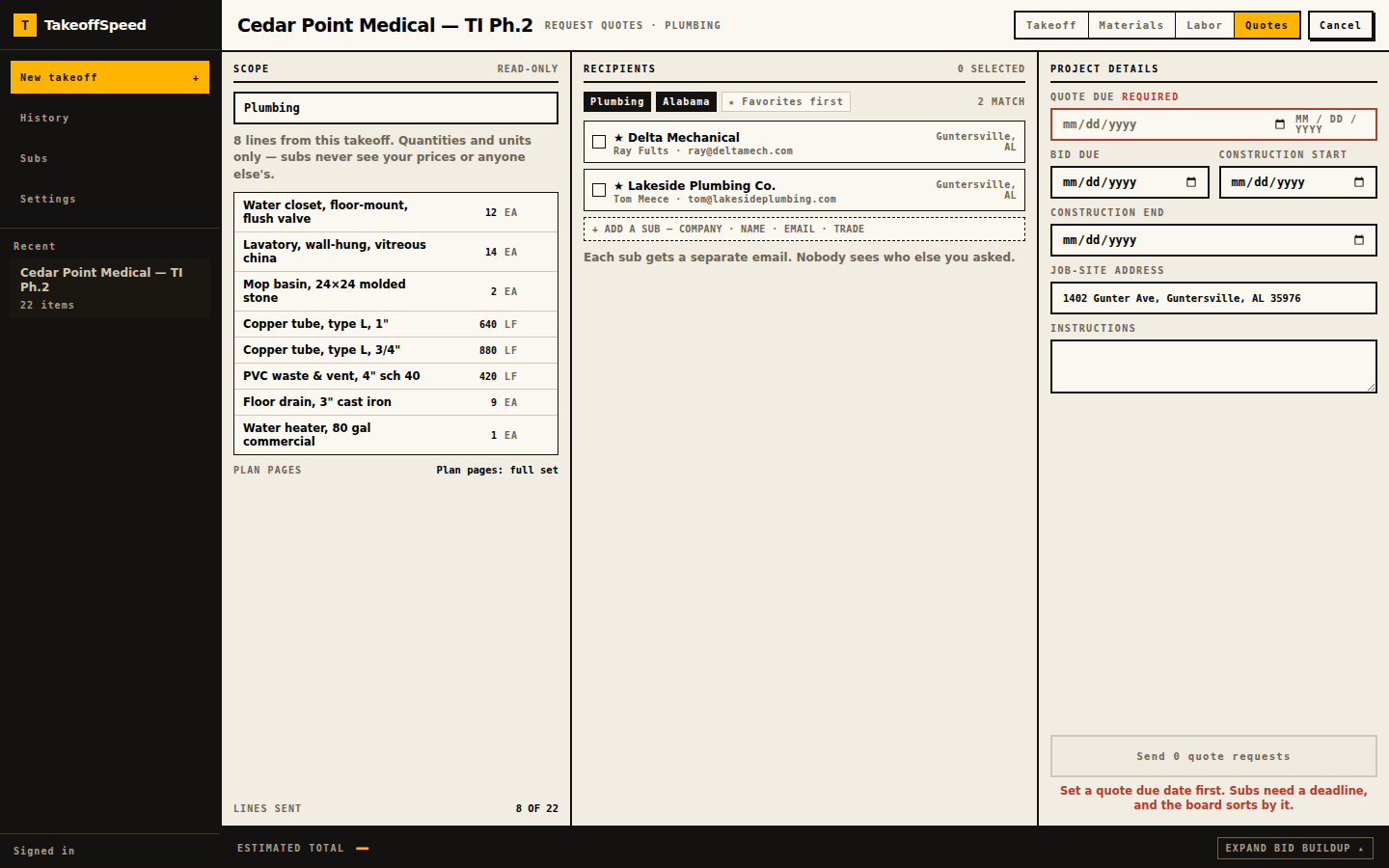
Each sub gets their own email.
Pick the trade and the sub list filters to the subs who do that work, up to 15 per send. Each one gets their own email under your company name and logo — quantities and units only, never your prices or the other bidders' names — with only their trade's sheets plus the cover and site plan (or the full set when the sheets can't be sorted by trade). A quote due date is required before anything sends.
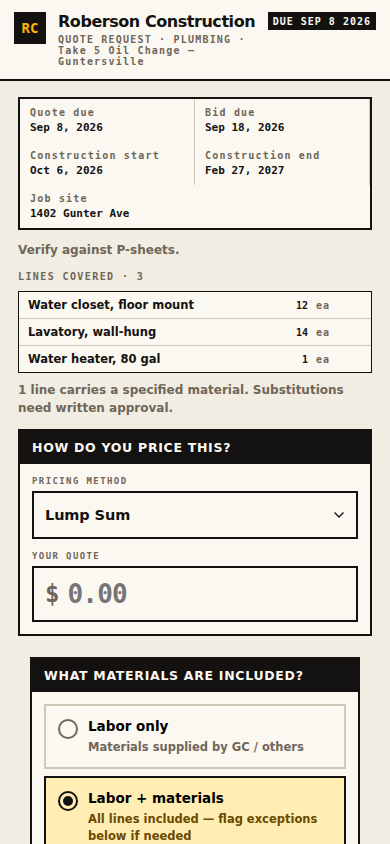
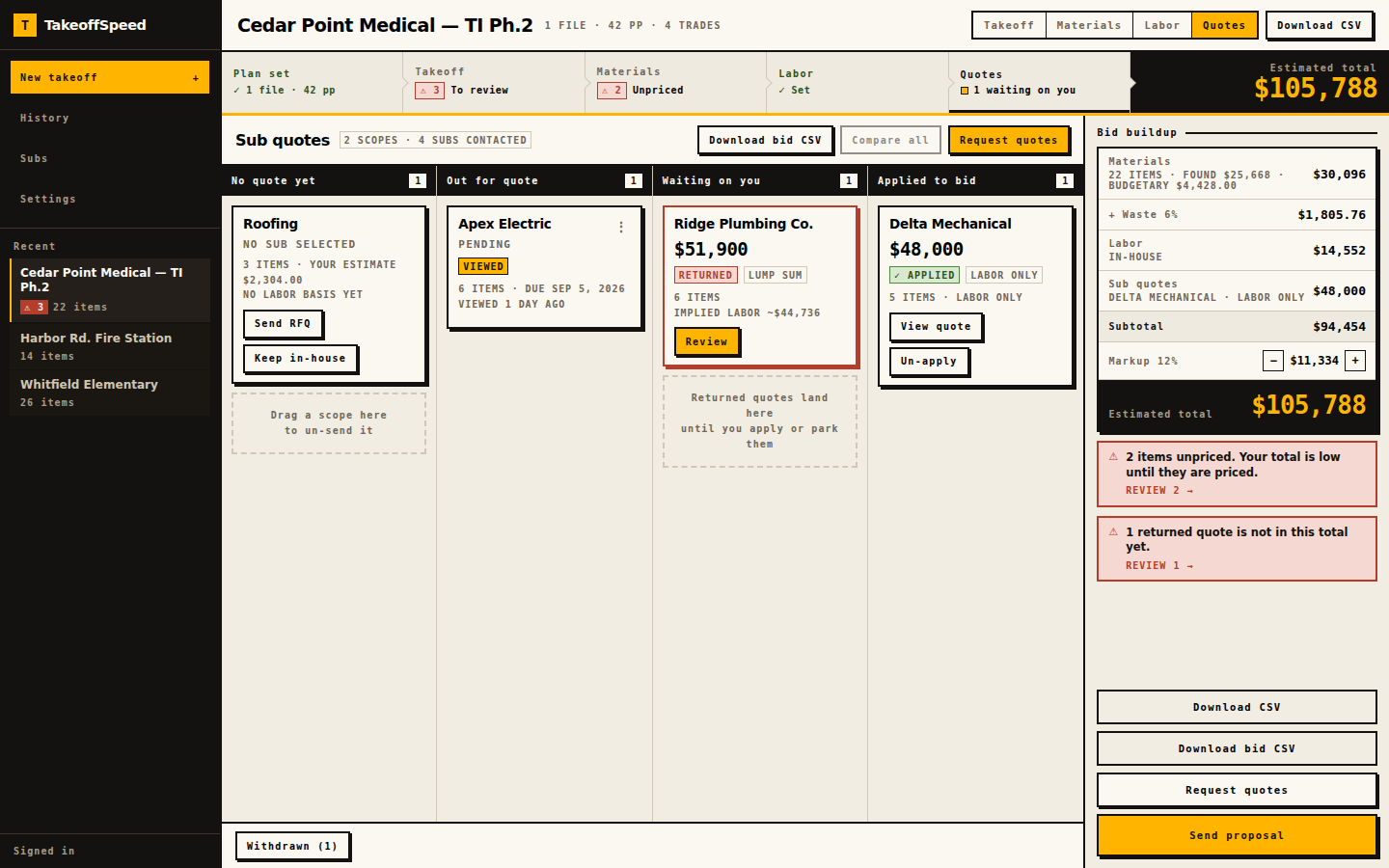
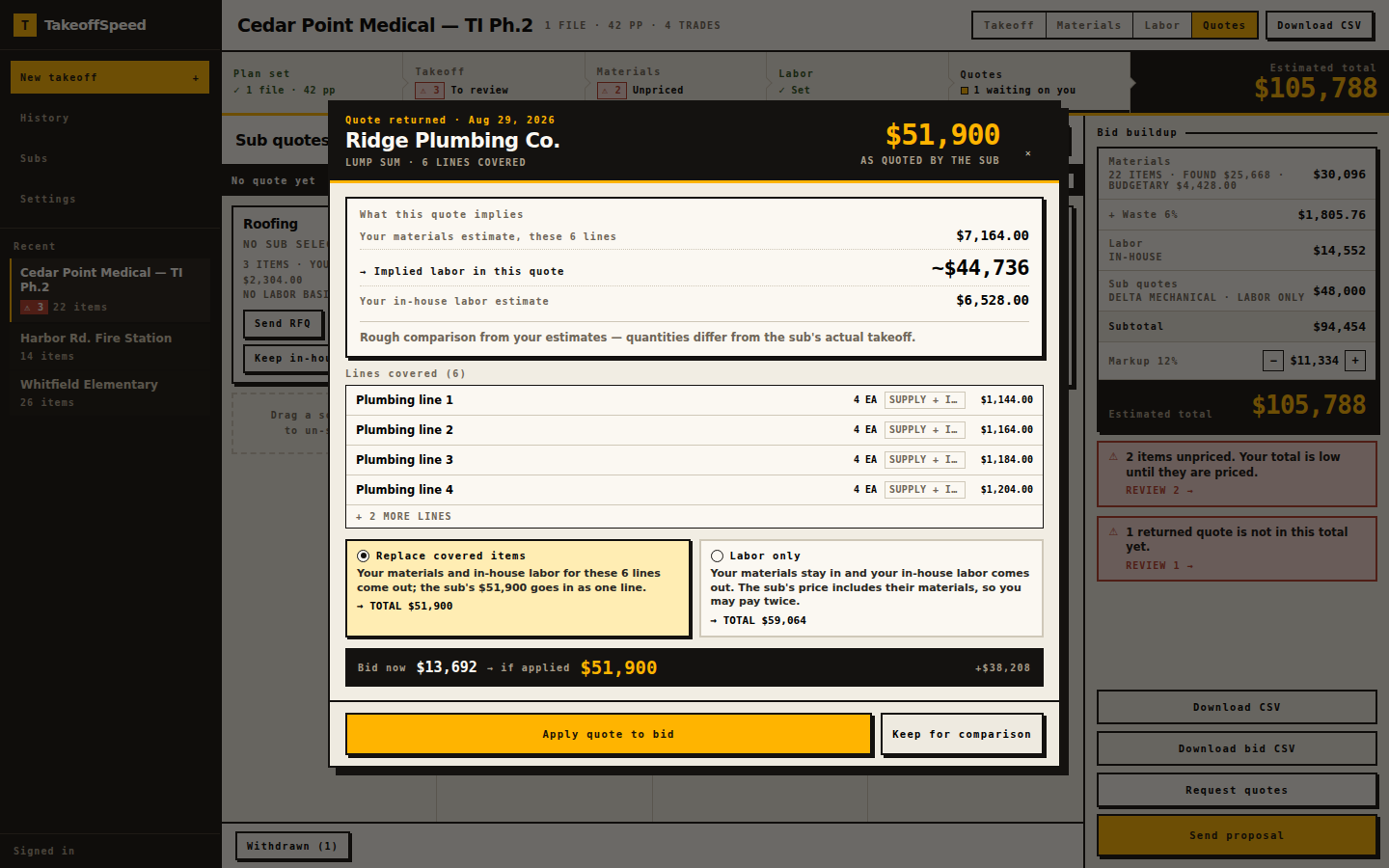
Subs answer by phone. You apply once.
Your sub taps a one-off link — no account, no password, nothing about your pricing on the page — and enters a number, labor only or labor plus materials, with inclusions and exclusions. Every request sits on one board as sent, viewed, returned, or applied, and when a quote lands you choose replace-covered-lines or labor-only with both totals side by side, so you never pay for the same work twice.
One rail carries the whole bid.
Materials split into found and budgetary, waste, in-house labor, applied sub quotes, markup, total — every dollar from one arithmetic function, so the rail always agrees with the table. Under it sit the warnings that should stop you sending; then export CSV or Word, where unpriced lines print an em dash, never $0.00, or send the proposal.
The five things a counting tool cannot do.
Every line opens the plan page it came from.
The chip on the line is not decoration — it is a link to the sheet. This is the difference between an AI number and a number you can defend to an owner.
One click sends the right subs the right sheets.
Pick the trade, and the directory filters to subs who do that work. Each one gets a private email with only their trade's sheets plus the cover and site plan, and none of them sees your prices or each other.
The sub quotes from their phone with no login.
A token link, your letterhead, a number, labor-only or labor-plus-materials, inclusions and exclusions. The reason subs actually answer is that there is nothing to sign up for.
The bid rail cannot double-count SELF against SUB.
Applying a quote makes you choose replace-covered-lines or labor-only, and shows both totals before you commit — one arithmetic function behind every number in the product.
The paperwork goes out under your name.
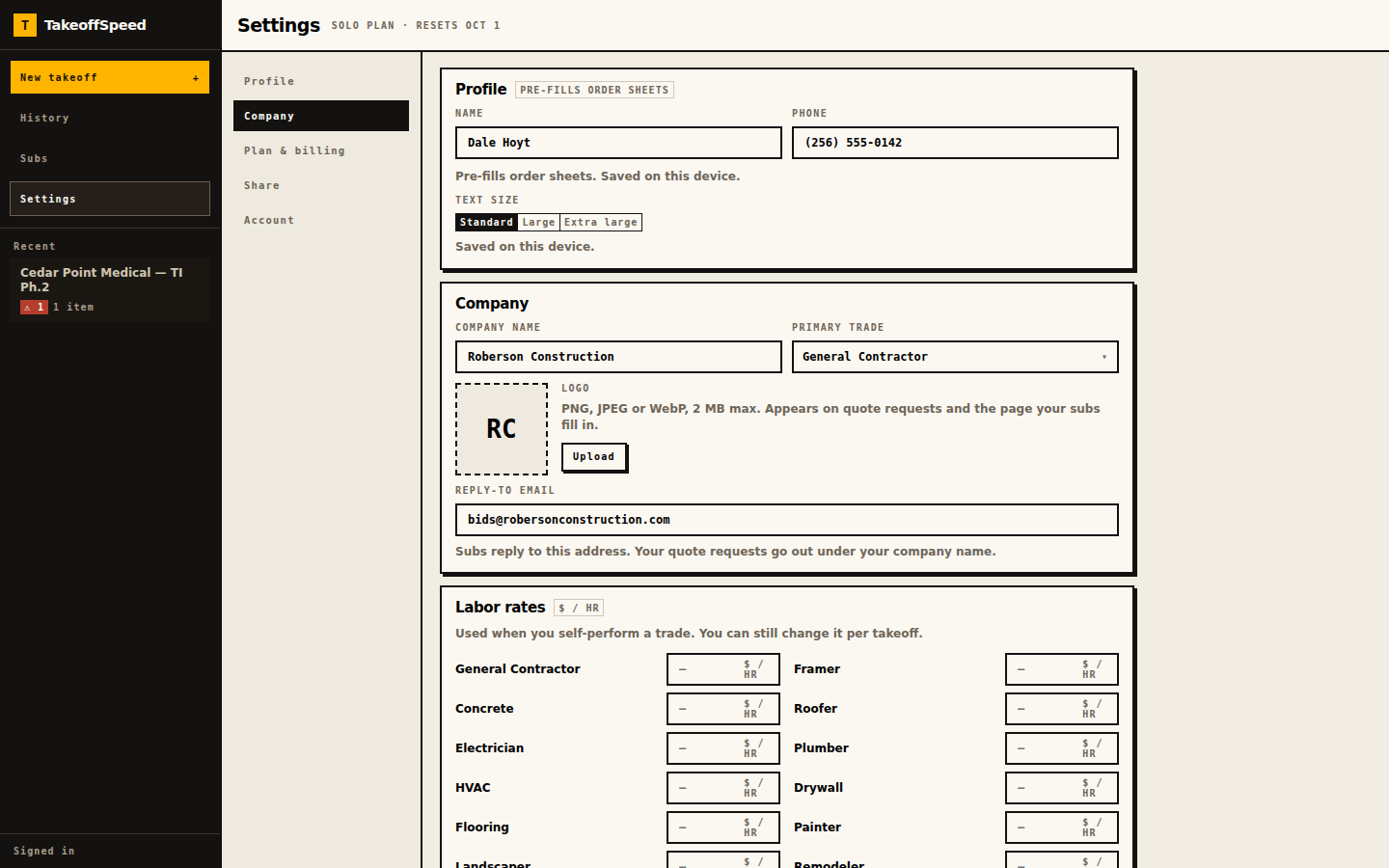
Your logo and company name head the RFQ email and the sub's quote page; TakeoffSpeed is a footer line. The bid exports as CSV and as a Word document you can put on letterhead.
“I was bidding against four or five other companies. Nobody else got their bid in on time. I was the only one who did — and it was because of TakeoffSpeed.”
“I’ve used TakeoffSpeed to bid three of my projects. I won the project because of the speed and the accuracy.”
The vocabulary is small on purpose.
Chips you will see
We do not run your company. We help you get the bid out.
Browser-based, no desktop installation. Solo $200, Crew $399, Shop $699 per month — five, fifteen, or forty successful takeoffs. Failed runs do not count. Subcontractor RFQs on every plan. Pricing.
Run one real bid through the full loop.
Start with the plan set already sitting in your inbox. If your first takeoff does not earn its keep, ask for your month back.